The $0 Substack Webhook
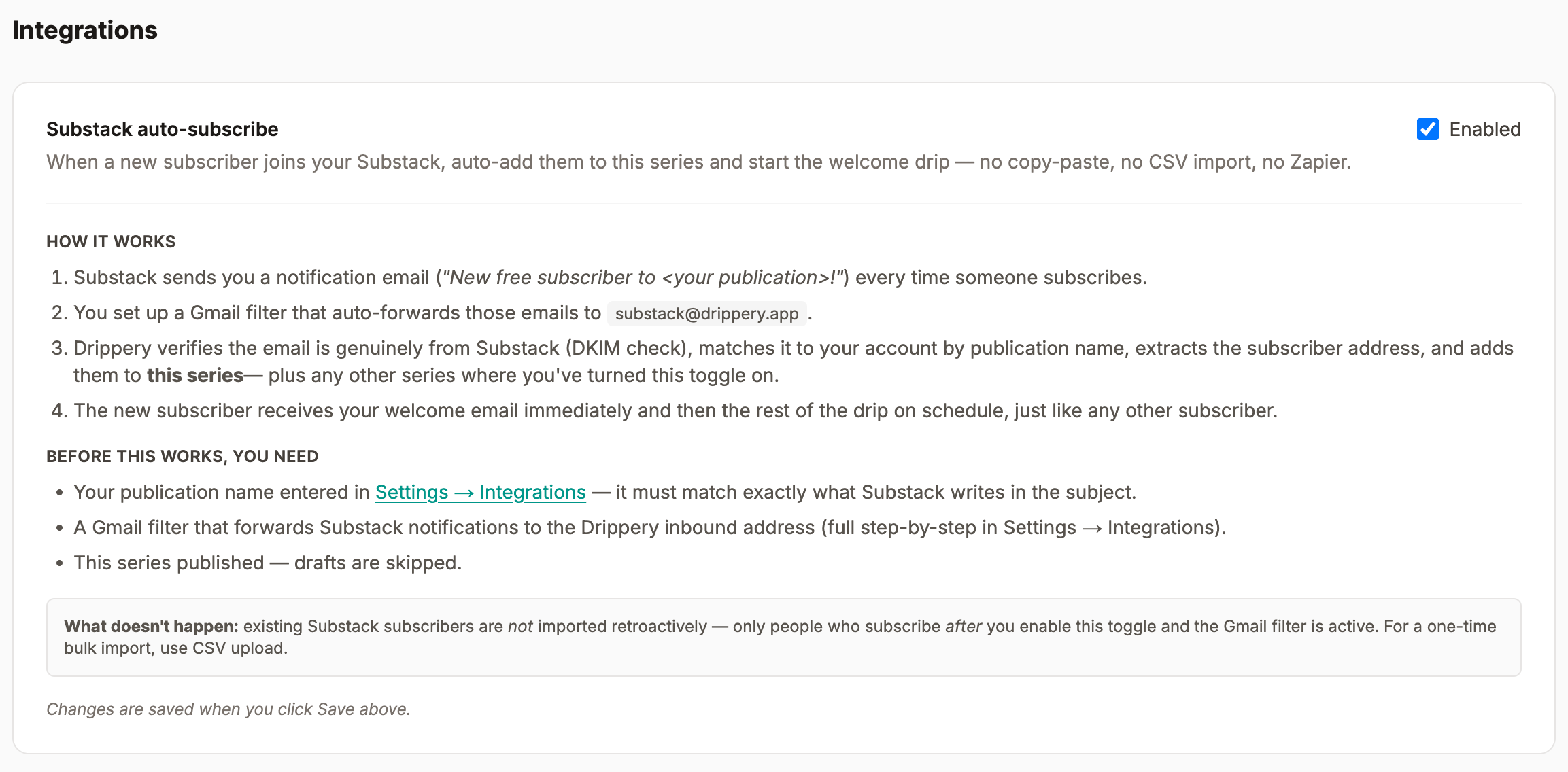
Substack has no API. Resend wanted me to pay for another domain. Cloudflare Email Workers fixed it in forty lines.


Drippery is my drip email tool. Substack is where half of its target users write. Wiring “new Substack subscriber → Drippery welcome drip” should be a ten-minute integration. It wasn’t. Substack has no public API and no webhooks — by design, I assume, because a platform that locks writers in doesn’t publish the escape hatches.
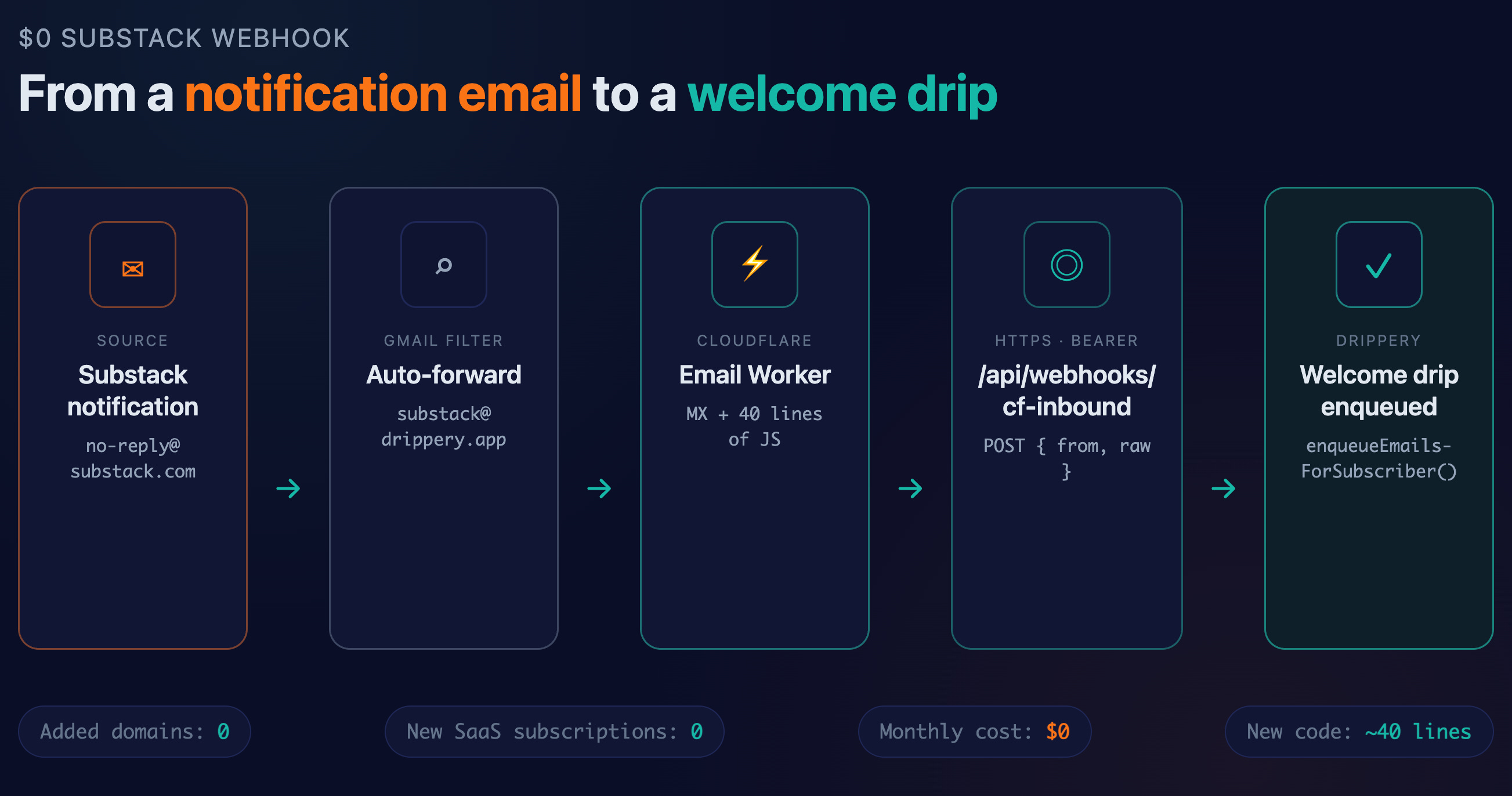
So tonight I built one anyway. Total cost: $0. Total new code: about 40 lines in a Cloudflare Email Worker, plus one HTTP endpoint in Drippery. Here’s the route I took, and the two places I tripped.
Why I wanted this in the first place
Substack sends its own welcome email — one email. No drip. No day-3 follow-up, no day-7 “here’s what you missed.” If you want a real onboarding sequence for your newsletter subscribers, you have to pipe them somewhere else.
That “somewhere else,” in my biased opinion, is Drippery. Only I couldn’t pipe them anywhere, because Substack doesn’t emit events. The only signal you get is that Substack emails you, the publisher, every time someone subscribes, and quietly drops the new subscriber’s email address in the body text.
That’s the whole attack surface. One email I received in Gmail. If I can turn that into an HTTP POST with a subscriber address, I can drive the rest of Drippery’s existing machinery — welcome email, scheduled drip queue, all the parts that already work for widget and API signups.
(This is the same flywheel I described in One Embed, Two Platforms Growing at Once — one signup, two platforms growing simultaneously. The webhook just closes the last gap.)
![[Shop Notes: Drippery] One Embed, Two Platforms Growing at Once](https://substackcdn.com/image/fetch/$s_!65c2!,w_140,h_140,c_fill,f_webp,q_auto:good,fl_progressive:steep,g_auto/https%3A%2F%2Fsubstack-post-media.s3.amazonaws.com%2Fpublic%2Fimages%2Fbc6c0189-699f-4a5b-8278-5a36429b87d5_1536x1024.png)
The options I didn’t take
Zapier. Gmail trigger → Formatter → POST. Works, and it’s what the only other blog post on this topic (someone doing the same thing for Kit) describes. But Zapier’s Starter plan is $19.99/month annual, $29.99 monthly — per user per integration. I’m not asking my users to pay Zapier for the privilege of using Drippery. Fine for a personal automation; wrong for a product.
Resend Inbound. Resend is already my sending provider, so inbound email via Resend felt like the tidy answer. I opened the dashboard, hit Add Domain, and the dashboard politely informed me I’d need to upgrade to the Pro plan to add a second domain. That’s another $20/month to receive three emails a week. Drippery runs on discipline about operating costs. Not that.

Gmail OAuth + a watch label. Possible, and probably the cleanest UX — let the user connect their Gmail, watch a label, POST to Drippery. But Google’s verification process for the gmail.readonly restricted scope requires a CASA security assessment by a Google-approved lab. Lab fees start around $500 at Tier 2 but realistically land in the $5,000–$15,000 range for anything user-facing, and you re-pay every 12 months. Not this quarter.
The option I took: Cloudflare Email Workers
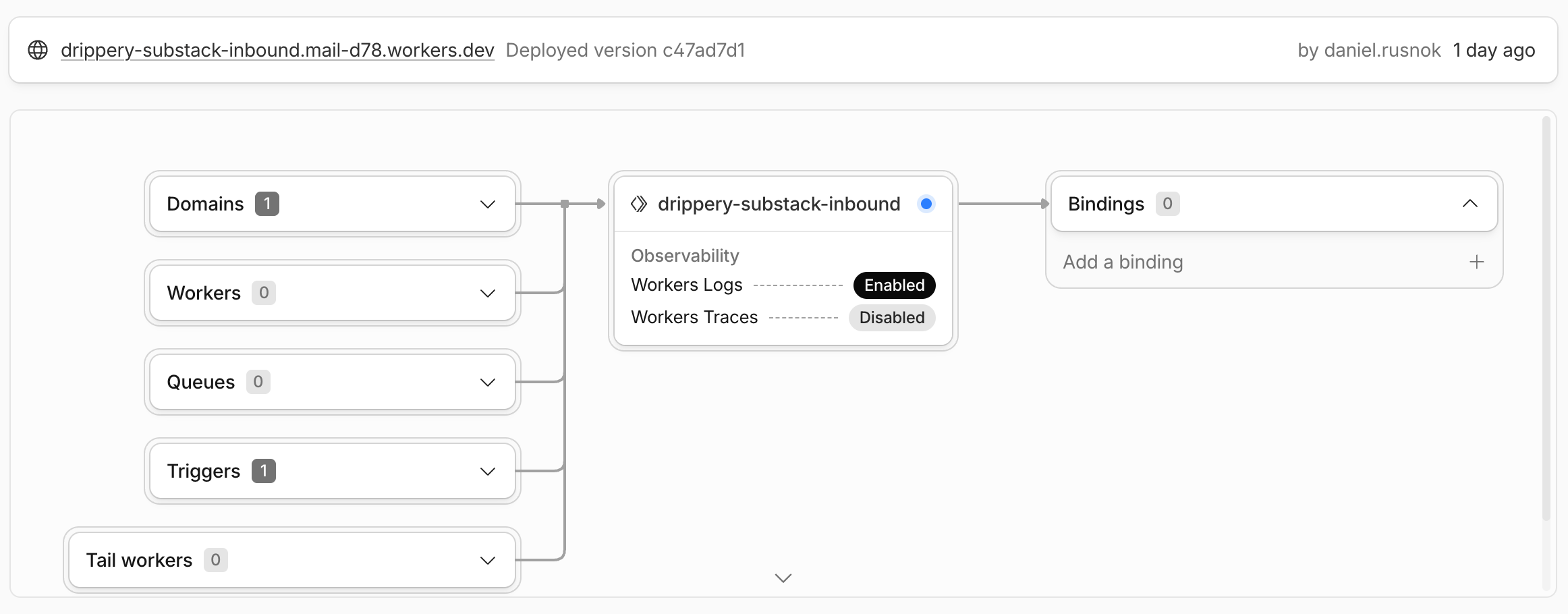
I was already on Cloudflare for DNS. Cloudflare Email Routing has had Workers integration for a while — you can point an MX record at Cloudflare, route incoming mail to a Worker, and that Worker gets the full raw message as a stream. No domain charges, 100,000 Worker invocations per day on the free plan, which is more than enough for three Substack emails a week.
The architecture is five boxes:
Gmail filter:
from:no-reply@substack.com→ forward tosubstack@drippery.appCloudflare Email Routing: custom address
substack@drippery.app→ send to Worker.Email Worker: reads raw MIME, POSTs JSON to Drippery with a Bearer secret.
Drippery endpoint
/api/webhooks/cf-inbound: verifies Bearer, extracts the new subscriber’s email, calls the existingenqueueEmailsForSubscriber()andsendWelcomeEmailDirect()A
substack_triggerboolean column on every series in Drippery — admin can toggle which series the new subscriber gets added to.
The endpoint reuses the same enqueueEmailsForSubscriber() and sendWelcomeEmailDirect() functions I built when I rebuilt the entire email engine around a pre-computed queue table. If you want the full story on why a cron-based approach failed and why I switched, that post has the details.
![[Shop Notes: Drippery] I Rebuilt My Entire Email Engine Over a Weekend. Here's Why.](https://substackcdn.com/image/fetch/$s_!p-rp!,w_140,h_140,c_fill,f_webp,q_auto:good,fl_progressive:steep,g_auto/https%3A%2F%2Fsubstack-post-media.s3.amazonaws.com%2Fpublic%2Fimages%2Fe35b48fb-6acb-4629-823c-ae2798def0bb_1536x1024.png)
The Worker, in full
export default {
  async email(message, env, ctx) {
    const from = (message.from || “”).toLowerCase();

    if (from === “forwarding-noreply@google.com”) {
      await message.forward(env.ADMIN_FORWARD_TO);
      return;
    }

    const reader = message.raw.getReader();
    const chunks = [];
    let total = 0;
    while (true) {
      const { done, value } = await reader.read();
      if (done) break;
      chunks.push(value); total += value.length;
    }
    const buf = new Uint8Array(total);
    let offset = 0;
    for (const c of chunks) { buf.set(c, offset); offset += c.length; }
    const raw = new TextDecoder().decode(buf);

    await fetch(env.DRIPPERY_INBOUND_URL, {
      method: “POST”,
      headers: {
        Authorization: `Bearer ${env.DRIPPERY_INBOUND_SECRET}`,
        “Content-Type”: “application/json”,
      },
      body: JSON.stringify({ from: message.from, raw }),
    });
  },
};
That’s it. Drippery does the parsing on the receiving side — it strips the MIME headers, regexes for the first email address in the body that isn’t substack.com, drippery.app, or me, and treats that as the new subscriber.
Gotcha 1: Gmail forwarding verification
Gmail won’t forward to an address until it verifies that the address can receive. It sends a verification email with a link you click. Fine — except that email comes from Google, not from Substack, so my Worker’s “only accept substack.com senders” logic would happily throw it away.
Solution: first four lines of the Worker above. If message.from is forwarding-noreply@google.com, forward it to my own Gmail instead of POSTing. I click the link, Gmail marks the forward as verified, and the detection stays in permanently — so the route keeps working if Gmail ever re-verifies it later.
Gotcha 2: the admin-only toggle
This whole feature is only useful to me, right now. Other Drippery users don’t want their new Substack subscribers entering my tenant, and I don’t want them to see a toggle they can’t use yet. So the substack_trigger field exists on every series, but the checkbox in the Settings tab only renders if tenant.isAdmin === true. The bulk-save endpoint silently ignores the field for non-admins — a 403 would be louder, but a silent drop is safer if the UI ever accidentally leaks the control.
When I expose this to users, it becomes a multi-tenant routing problem: the recipient address encodes the tenant (substack-<tenantId>@drippery.app), and each tenant verifies their own Gmail forward. That’s a fine problem for next week.
What’s actually shipped tonight
Migration deployed, endpoint deployed, Worker deployed, CF route deployed, Gmail filter in place. The end-to-end test didn’t complete before bedtime — the first real notification from Substack hasn’t flowed through yet, and I’d rather debug that fresh than at midnight. So consider this a “ready to fire” log, not a “rocket launched” one. I’ll report back when a real subscriber lands.
The point of this post isn’t the specific pipes. It’s that a vendor “having no API” usually means “having no API in the shape you wanted.” There’s almost always an email, a Slack notification, a webhook to something else, a CSV export — some emitter that wasn’t designed for integration but behaves like one. You can hang a lot of product off those.
Total marginal cost to do this on Cloudflare: $0/month, zero third parties added to the stack. Substack didn’t want me to have a webhook. I took one anyway.
Further Reading
Cloudflare Email Workers — the raw-MIME handler this post is built on
Cloudflare Email Routing — free MX forwarding on a custom domain
Resend Inbound custom domains — the tidy option I skipped
Google OAuth restricted scope verification — why
gmail.readonlyisn’t free